Free firmware for XGIMI projectors A second life for your projector
Lumen OS is Android TV 14 built on LineageOS 21. No ads, no tracking, a fast Home screen and updates over Wi-Fi.
Try it first. The XGIMI system stays as it is.

The basics
Free
No ads, no tracking, no subscription. Lumen OS is never sold.
Updates over Wi-Fi
A new version installs next to the running one. If it fails to start, the projector goes back to the previous one.
Everything you need
17 languages, AirPlay, HDMI-CEC, files from USB sticks and the XGIMI remote paired in the first setup.
Only the system changes
Lumen OS takes the place of the Android system. XGIMI’s firmware, calibration, light, focus and keystone stay as they are, and our apps drive them through XGIMI’s own hardware service. So picture and sound stay just as reliable, and everything around them gets faster and cleaner.
What is inside
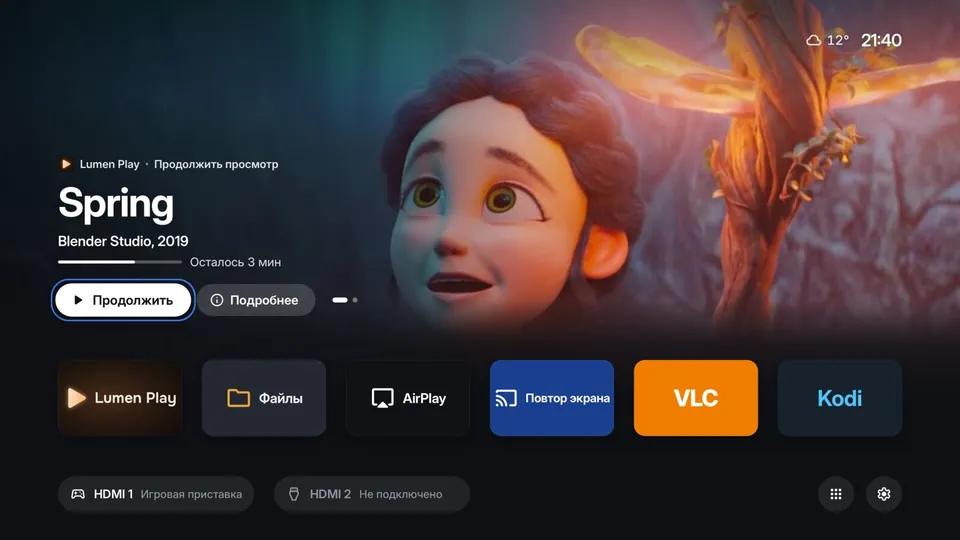
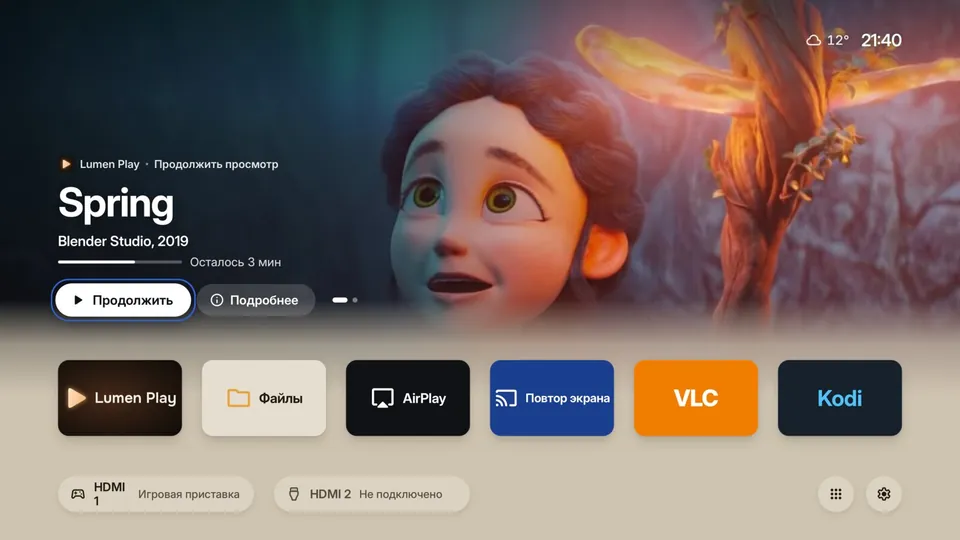
A showcase, not ads
A big picture of what you were watching, a Resume button and your apps in one row. No suggestions from services you never asked for. Light and dark theme.
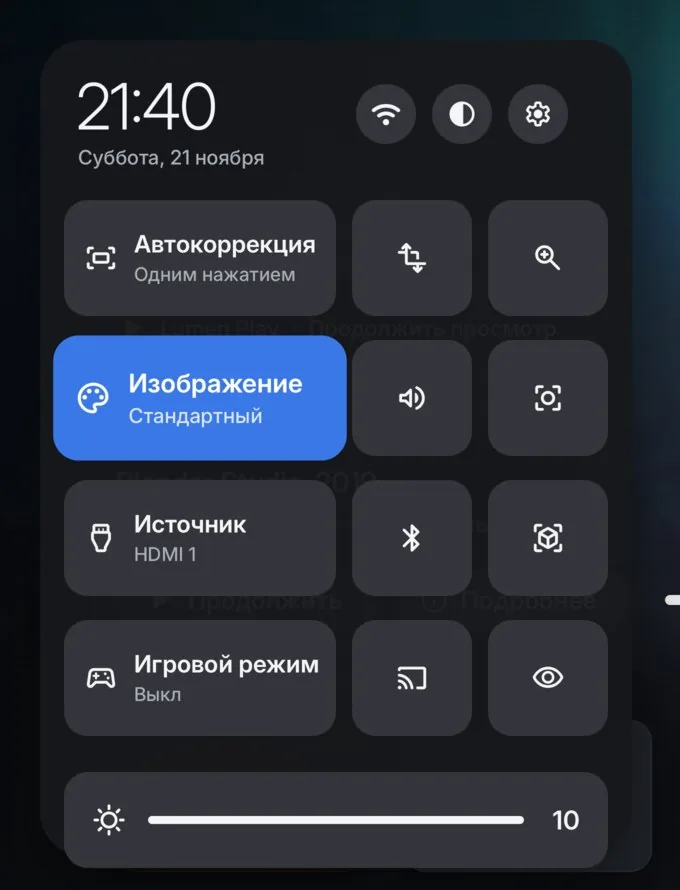
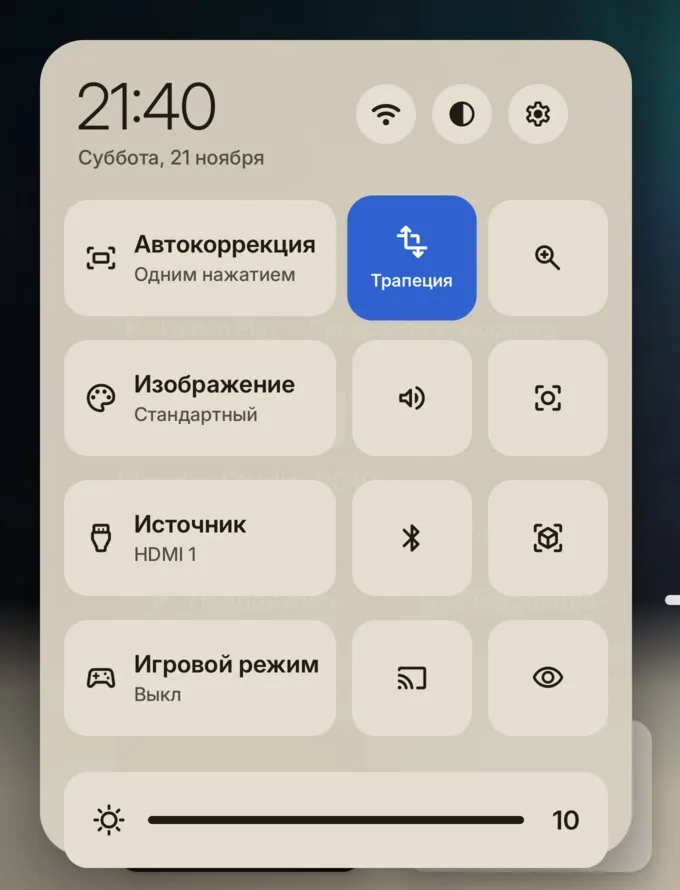
The projector at hand
One-press keystone correction, picture mode, input, game mode and brightness. You can arrange the menu your way.
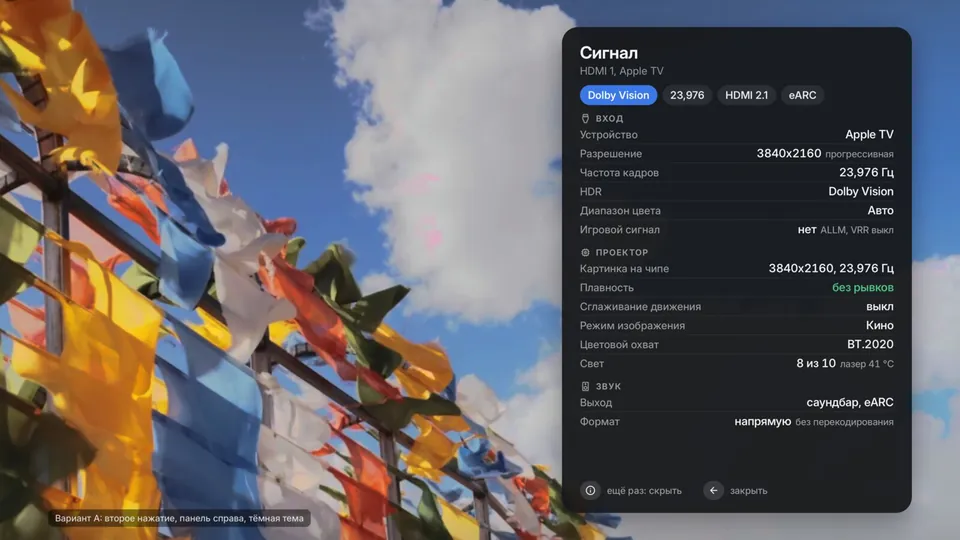
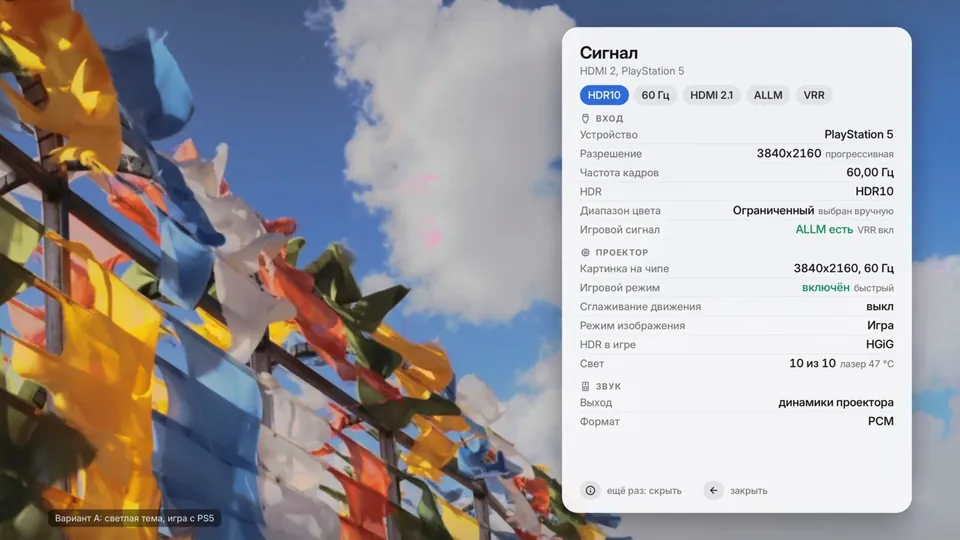
See what comes in over HDMI
Resolution, frame rate, HDR and sound from your console or player. It lives on the developer page, out of everyone else’s way.
Every picture setting
Picture modes, white balance, gamma, colour space and local contrast. Everything the projector can do is in the menu.
3D films with glasses
3D works on the models whose XGIMI firmware has it. Turn it on from the quick menu.
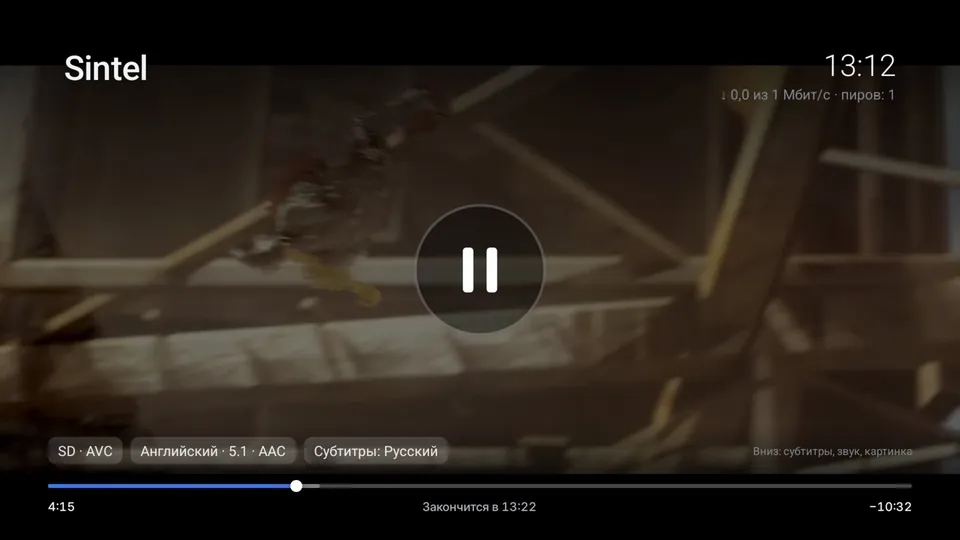
A player of its own
Plays video from USB sticks and shared folders at home, takes video from your phone over DLNA, shows HDR and passes surround sound to your soundbar.
Which XGIMI projectors are supported
Each projector has its own files, signed with its own key. The installer refuses an image for another model and any XGIMI firmware it does not know.
XGIMI Z9X
StableG0082V6.15.58, V6.15.62, V6.15.19 (trial only)XGIMI Z9X HB
StableG0130, G0148V6.16.24, V6.17.12G0148 on V6.17.12 onlyXGIMI Play 6
StableG0058V1.7.116, V1.8.127AIC Wi-Fi units: V1.8.127 onlyXGIMI X50 Ultra
BetaG0111V1.2.64, V1.2.54install for good on V1.2.64XGIMI X50 Ultra Max
Beta, trial onlyG0100V1.2.64, V1.2.54XGIMI RS30 Ultra Max
Beta, trial onlyG0155V1.1.42XGIMI TITAN Noir (Noir, Noir Pro, Noir Max)
Beta, trial onlyH0061, H0062, H0063V1.2.99, V1.2.54
Lumen Installer shows the model code and firmware at the top of its screen. Your projector is not listed? The installer will say so, and its Send details button helps us build for it.
Install from the projector, no computer
Download Lumen Installer
The file ending in .apk1 from the latest release. Copy it to a FAT32 or exFAT USB stick.
Open it on the projector
Plug in the stick, open the file in the XGIMI file manager and confirm.
Try it first
The installer finds your model and downloads the right version. Lumen OS starts once, and the XGIMI system and your files stay as they are.
Keep it
Like it? Choose Install Lumen OS inside the trial. Installing erases the projector’s data once.
Going back to XGIMI
During the trial, just restart the projector. After an install, an XGIMI recovery stick with the official XGIMI file brings it back. Lumen OS shows the file name in Settings, About, Back to the XGIMI system.
The Play 6 installs from a computer over a USB cable. Guides for every model
Every release is signed. The installer checks SHA256SUMS and its signature and refuses anything else. Copies on forums and file hosts are not ours.
- XGIMI Z9XStable1.0.10
- XGIMI Z9XBeta1.0.11-beta15
- XGIMI Z9X HBStable1.0.9
- XGIMI Z9X HBBeta1.0.10-beta21
- XGIMI Play 6Stable1.0.10
- XGIMI X50 UltraBeta1.0.10-beta11
- XGIMI X50 Ultra MaxBeta1.0.10-beta11
- XGIMI RS30 Ultra MaxBeta1.0.10-beta6
- XGIMI TITAN NoirBeta1.0.10-beta3
- XGIMI TITAN Noir ProBeta1.0.10-beta4
- XGIMI TITAN Noir MaxBeta1.0.10-beta4
GitHub data as of 21 November 2026
Support the project
Lumen OS is built in spare time on a slow computer, where one image takes hours. Every donation goes to a faster build computer, so updates and new projectors come sooner.
Lumen OS is never sold.

TRjBAWuPa7WjdsATNkgwy955imhobH6sQV
UQA2yAApJyyZ_vOYwrM6E0K2hwmn_35Y7m68UbCN6Y_A1L6xCheck the network before you send. USDT sent to the TRON address over ERC20 or BEP20 is lost.
Community
Questions
Is it really free?
Yes. No ads, no subscription, nothing to buy. If someone charged you for Lumen OS or for a projector “with Lumen OS”, that was not us.
Can I try it first?
Yes, that is the idea. The trial does not change the XGIMI system. Restart the projector to go back.
How do I go back to XGIMI after installing?
With an XGIMI recovery stick and the official XGIMI file for your model. It erases everything on the projector. The steps are in each model’s guide.
What about Google Play?
Lumen OS comes without Google services. When installing, choose Yes at Google services and the installer downloads them from their official page. Chromecast does not work, AirPlay and DLNA do.
My projector is not listed
Lumen Installer will tell you. If the model is known but the firmware is not, you can still run the trial. The Send details button helps us build for your model.
What does Lumen OS send?
Only an anonymous counter: model, version and country. You can turn it off in Settings. The system also asks for the time zone, the weather and updates.
How do updates work?
Lumen OS updates itself over Wi-Fi and waits for your OK. Apps and files stay. The Play 6 still updates from a computer.